
Get started
Get up and running with Dotdigital Personalization APIs.
Architecture overview
Dotdigital Personalization is made up of many components. To help you to understand how you can integrate with it, the following diagram give you a high-level overview:
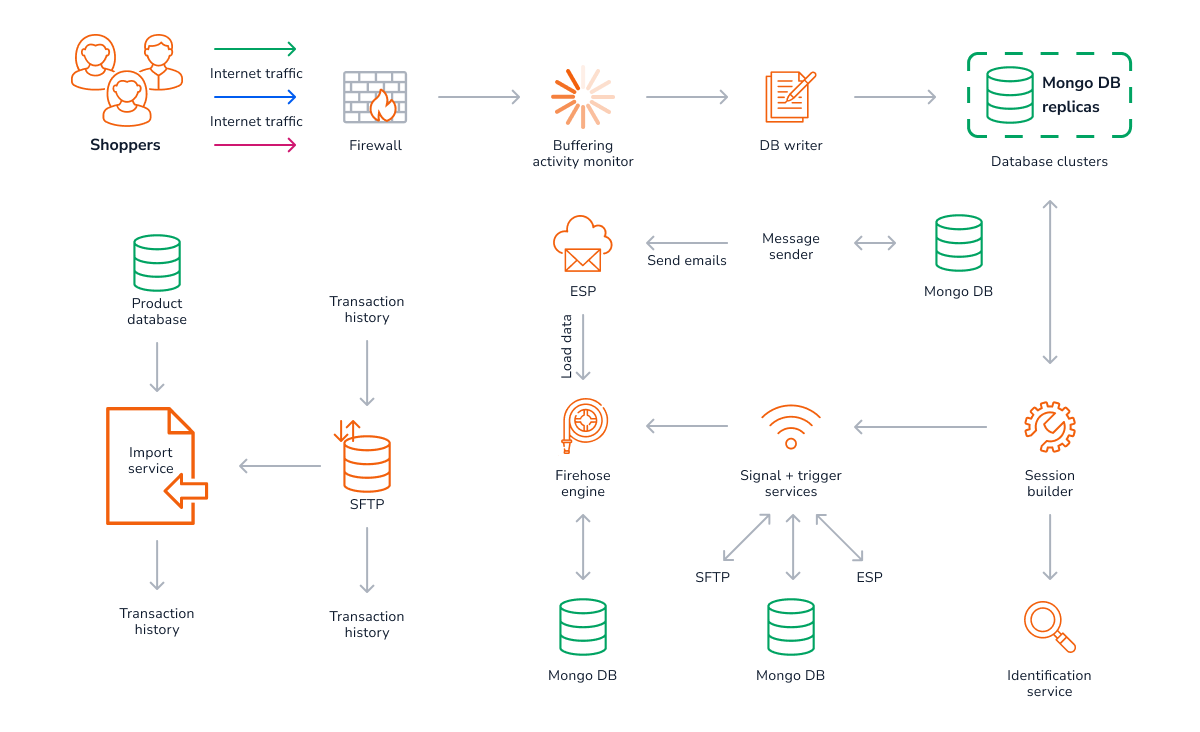
Region specific end points
Accounts belong to different regions, depending upon where they are based in the world. Our APIs require you to use the correct API endpoint for your region. This is important as you cannot use an API endpoint belonging to a different region.
To find your account's API endpoint:
-
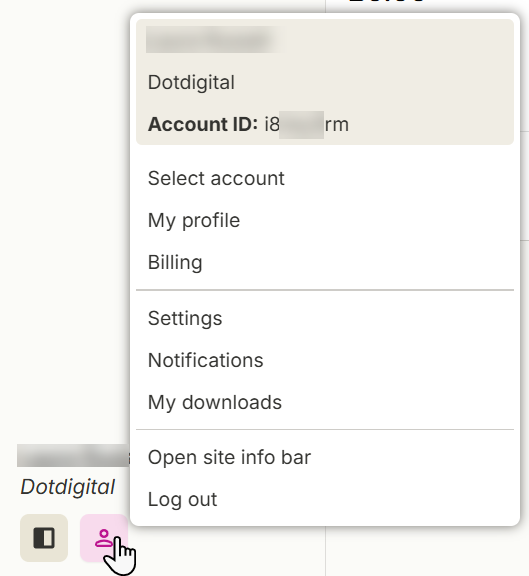
In Personalization, select the Account menu icon. Your account region is displayed in the menu.
-
Use the API to call Get account information using r1 as the region endpoint, regardless of what region your account may actually be in, and this returns your account's correct regional domain in the
api_domainfield.
The regions are:
| Region | Region id | API Domain |
|---|---|---|
| Europe | r1 | r1-api-freshrelevance.dotdigital.com |
| North America | r2 | r2-api-freshrelevance.dotdigital.com |
| Asia Pacific | r3 | r3-api-freshrelevance.dotdigital.com |
Make sure you're using the correct regional API endpoint for your accountThis is important as you cannot use an API endpoint belonging to a different region. If you attempt to do so, your requests return a
403 - Forbidden: Access is deniederror.
What's available?
The Personalization APIs are provided to allow the consumption and ingestion of data into the Dotdigital Personalization platform from your systems and apps. You should carefully consider which APIs are required to meet your needs.
Available APIs are:
- REST based APIs for use with your platforms' and systems' back-ends:
- Activity API - Retrieve Experiences content.
- Content API - Server-side content personalization.
- Custom Data Tables API - Store tabular data.
- Folders API - Manage content folders.
- Product Import - Import your product catalog.
- SmartBlocks API - Manage SmartBlocks.
- Statistics - Monitor Personalization's performance.
- JavaScript API - Pass data and events from single page applications, without the need to rely on scraping or a data layer.
- Mobile and App Data Collection API - Capture beacon events, and access Personalization data from PWA and mobile apps.
Checking availabilityYou can check the platform's status on our status page .
Updated 3 months ago